
How to play DotA in DotA-GC
Playing in DotA-GC is fun and addictive. However sometimes you need a little help to get started, so the following guide will step you through the process of playing games here in DotA-GC.
Everything you need to play DotA games
WarCraft III: The Frozen Throne
You need to have this excellent Blizzard's RTS game installed, because it is the foundation of DotA.
Patch 1.26a
WarCraft III needs to be patched to version 1.26a, which can be downloaded from Blizzard's FTP server.
Repel
This is our lightweight program that you will need to join games. Download and install it.
DotA-GC account
If you do not already have an account, go sign up now.
How to sign up for a game
Go to the waiting list page and add yourself to the list.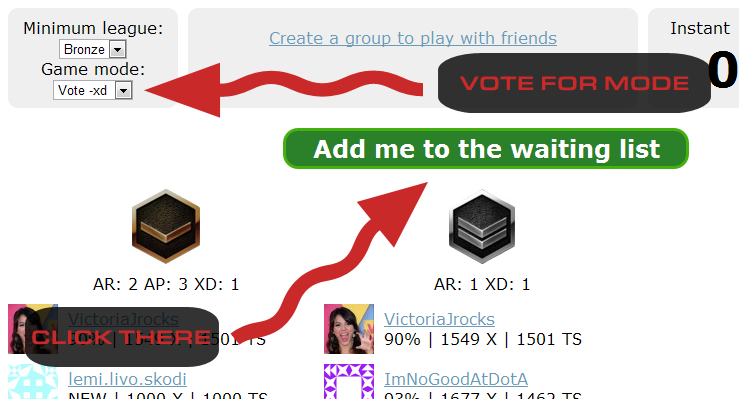
When there are enough players on the list a game will be start. When a game starts you will hear a horn sound and then have a few minutes to join the WarCraft III lobby.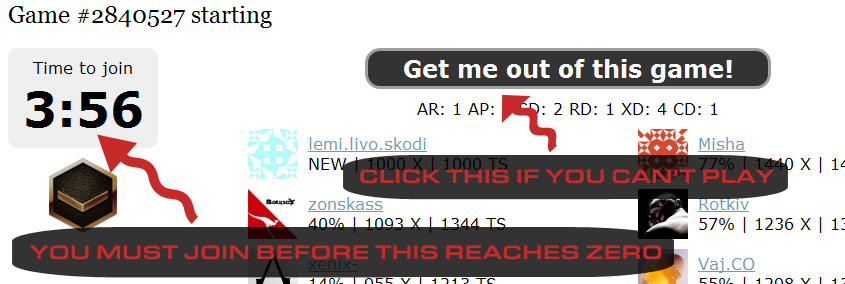
As players join the lobby, they will receive a green checkmark next to their names on the active game page. With 10 green checkmarks, the DotA game will begin.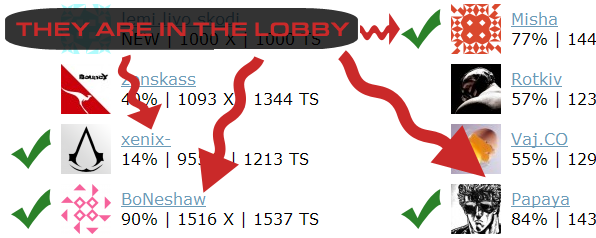
How to actually join the DotA game
You need to have repel running and you need to be logged in to repel. Then you need to start WarCraft III: The Frozen Throne and go to the Local Area Network sub-menu.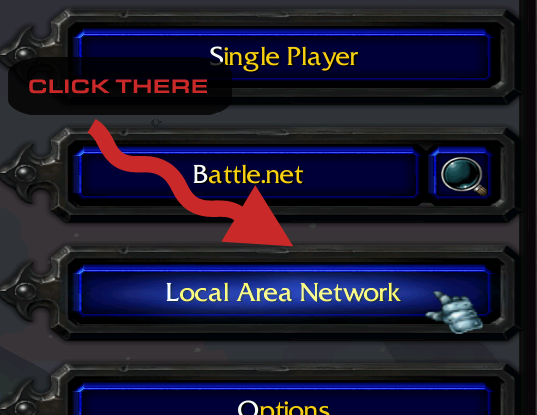
Under Local Area Network you will find a list of games, from which you must join the one titled "DotA GC". The DotA-GC game will show up only if you have an active game on the web and you have repel properly running.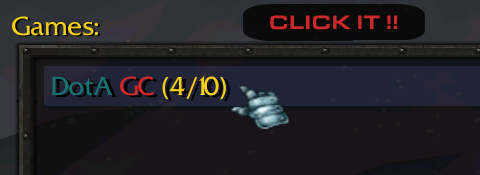
What you need to know about DotA-GC games
The 5th player of the team must buy the animal courier and share it to the team. The placement of players is decided by statistics and new players start low, so get ready to invest in a chicken.
You can only leave the game if you see the big black scoreboard or over 5 players have already left.
Read the rules for more info.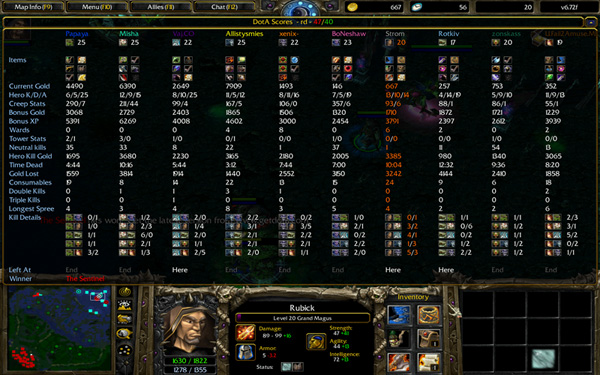
Do you need further assistance?
Come chat with us or contact us some other way.